Best AI tools for Remote Teams
Unlocking Peak Performance: The Best AI Tools for Remote Teams
The global shift to remote work has revolutionized how businesses operate, offering unprecedented flexibility but also introducing unique challenges. From maintaining seamless communication across time zones to ensuring productivity without in-person oversight, remote teams constantly seek innovative solutions. Enter Artificial Intelligence (AI) – a transformative force that's not just automating tasks but intelligently enhancing every facet of distributed collaboration.
For forward-thinking businesses, AI isn't a futuristic concept; it's a present-day imperative. Integrating AI tools into your remote workflow can bridge geographical gaps, boost efficiency, and free up valuable human potential for strategic, creative work. But with a burgeoning market of AI solutions, how do you discern the truly impactful from the merely innovative? That's precisely what we're here to explore.
In this comprehensive guide, we'll dive deep into the world of AI tools specifically designed to empower remote teams. We'll identify the best-in-class solutions across various categories, offering detailed insights, comparisons, and actionable advice to help you select and implement the right AI arsenal for your unique team dynamics. Get ready to discover how AI can not only make your remote operations more efficient but also more connected, productive, and future-proof.

Why AI is a Game-Changer for Remote Teams
Remote work thrives on trust, clear communication, and robust systems. While traditional tools have paved the way, AI brings an unprecedented level of intelligence, automation, and personalization that can significantly elevate the remote team experience. It addresses common pain points and transforms challenges into opportunities for growth and efficiency.
- Bridging Communication Gaps: AI-powered tools can transcribe meetings, summarize lengthy discussions, translate languages in real-time, and even analyze sentiment to ensure everyone is on the same page, regardless of location or time zone.
- Boosting Productivity & Focus: By automating repetitive, administrative tasks, AI frees up team members to concentrate on high-value activities. It can manage schedules, remind of deadlines, and even help prioritize tasks, creating an environment conducive to deep work.
- Enhancing Project Management: AI can analyze project data to predict potential roadblocks, optimize resource allocation, and provide insights into team performance, ensuring projects stay on track and within budget.
- Personalized Learning & Development: AI can identify skill gaps within a team and recommend personalized training modules, fostering continuous growth and adaptability.
- Data-Driven Decision Making: AI can process vast amounts of data from various sources – communication logs, project progress, client feedback – to provide actionable insights that inform strategic decisions, leading to better outcomes.
- Improved Employee Experience: By reducing burnout from manual tasks and fostering a more organized, supportive environment, AI contributes to higher job satisfaction and retention among remote employees.
In essence, AI acts as an intelligent assistant, strategist, and facilitator, making remote collaboration not just feasible, but exceptionally powerful.
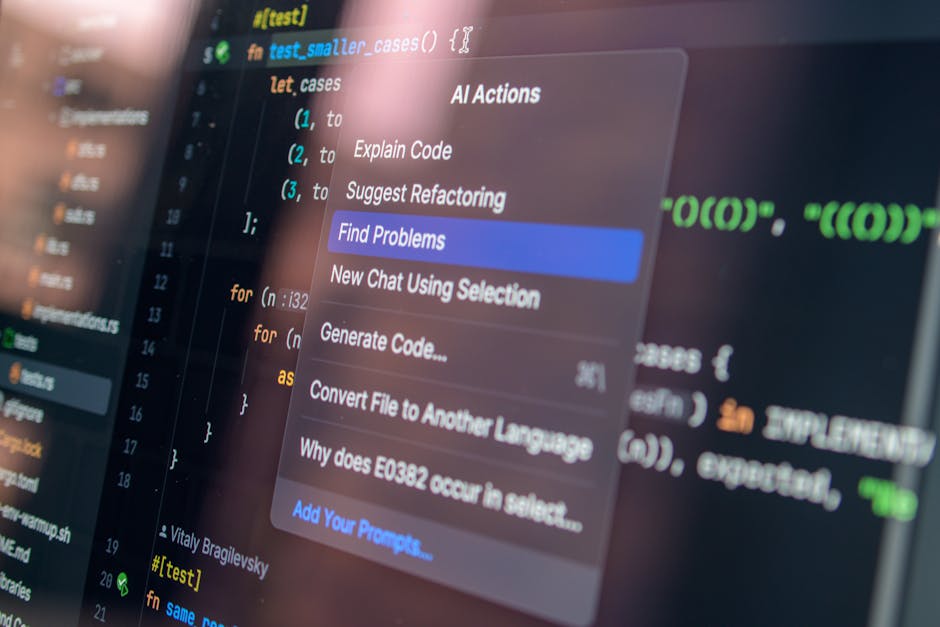
Key Areas Where AI Empowers Remote Teams
AI's versatility means it can be applied across numerous functions, fundamentally changing how remote teams operate. Here are the core areas where AI delivers significant value:
Enhanced Communication & Collaboration
Effective communication is the bedrock of any successful remote team. AI eliminates language barriers, ensures meeting insights are never lost, and streamlines information flow.
- Meeting Transcription & Summarization: AI accurately transcribes spoken words into text, allowing for searchable meeting notes and automated summaries of key decisions and action items.
- Language Translation: Real-time translation capabilities enable seamless communication in multicultural teams.
- Sentiment Analysis: AI can analyze the tone and sentiment of written communication, helping managers identify potential team friction or morale issues early on.
Streamlined Project Management
Keeping projects on track and resources optimized is paramount. AI brings predictive power and automation to project management.
- Predictive Analytics: AI can analyze past project data to predict timelines, potential delays, and resource needs, helping managers make proactive adjustments.
- Automated Task Allocation: Based on team member skills, availability, and project requirements, AI can suggest or even automate task assignments.
- Risk Identification: AI can scan project parameters and external factors to identify potential risks before they become critical issues.
Automated Administrative Tasks
The time drain of repetitive administrative work can significantly hinder remote team productivity. AI takes on these burdens.
- Intelligent Scheduling: AI can find optimal meeting times across multiple time zones, avoiding conflicts and minimizing back-and-forth emails.
- Data Entry & Management: Automating the input and organization of data, from CRM updates to expense reports, reduces human error and saves time.
- Email Management: AI can prioritize emails, draft responses, and categorize communications, making inboxes more manageable.
Boosted Productivity & Focus
Helping individual team members and the collective team achieve more with less effort is a key AI benefit.
- Personalized Workflows: AI can learn individual work habits to suggest optimal times for tasks, breaks, and meetings.
- Distraction Management: Tools can help block distracting websites or notifications during focus periods.
- Knowledge Management: AI can swiftly retrieve relevant information from vast company knowledge bases, answering questions instantly and reducing time spent searching.
Intelligent HR & Onboarding
From hiring to ongoing support, AI can enhance the HR function for remote teams.
- Candidate Screening: AI can analyze resumes and applications to identify the best fit candidates, reducing bias and speeding up the hiring process.
- Onboarding Automation: AI can guide new hires through onboarding processes, answering FAQs and providing access to necessary resources.
- Employee Support: AI-powered chatbots can provide instant support for common HR queries, reducing the workload on HR teams.
Data-Driven Decision Making
Leveraging data effectively is crucial for strategic growth. AI turns raw data into actionable intelligence.
- Performance Analytics: AI can aggregate data from various tools to provide a holistic view of team and individual performance, identifying strengths and areas for improvement.
- Market Insights: For sales and marketing teams, AI can analyze market trends, competitor activities, and customer feedback to inform strategy.
- Resource Optimization: By analyzing usage patterns, AI can help optimize software subscriptions, hardware allocation, and overall operational costs.

Top AI Tools for Remote Teams: A Detailed Review
Choosing the right AI tools can be transformative. Here's a curated list of leading solutions that empower remote teams, complete with their unique strengths, weaknesses, and ideal use cases.
Otter.ai: Your AI Meeting Assistant
Otter.ai is a leading AI-powered meeting transcription and summarization tool that turns your spoken conversations into searchable, shareable text. It's incredibly valuable for remote teams who rely heavily on virtual meetings.
- Key Features: Real-time transcription, automated meeting summaries, speaker identification, custom vocabulary, integration with Zoom, Google Meet, and Microsoft Teams, action item extraction, ability to add notes and highlights.
- Benefits for Remote Teams: Eliminates the need for manual note-taking, ensures everyone has access to meeting discussions (especially those who couldn't attend), makes past meetings searchable for quick reference, and streamlines follow-ups.
- Pros: Highly accurate transcription, user-friendly interface, robust search functionality, generous free tier, excellent for accessibility.
- Cons: Accuracy can drop with heavy accents or poor audio quality, doesn't offer deep analytical insights beyond transcription, basic AI summary.
- Actionable Insight: Ideal for teams looking to capture every word of their virtual meetings and turn them into shareable, actionable text. If your team struggles with meeting recall or note-taking, Otter.ai is a must-have. Consider it an investment in clear communication and knowledge retention.
Notion AI: The All-in-One Workspace with an Intelligent Edge
Notion is already a beloved tool for remote teams due to its versatile workspace capabilities – from notes and docs to project management and wikis. Notion AI supercharges this by bringing generative AI directly into your workspace.
- Key Features: AI writing assistant (generate blog posts, meeting agendas, social media content), summarization of long documents, brainstorming ideas, translation, code writing, action item generation, Q&A over your workspace data.
- Benefits for Remote Teams: Accelerates content creation, makes knowledge bases more accessible through summarization and Q&A, assists with brainstorming during virtual collaboration sessions, and streamlines documentation. It's like having a writing assistant for every team member.
- Pros: Deeply integrated into an existing, powerful workspace; highly versatile for various tasks; improves productivity for content creators and knowledge managers; great for reducing writing blocks.
- Cons: Requires an existing Notion setup to maximize benefits; AI output might need refinement; can be an additional cost on top of Notion subscription.
- Actionable Insight: If your team already uses Notion or is considering it as a central workspace, Notion AI is a natural extension that will significantly boost productivity in content creation, summarization, and idea generation. It's particularly powerful for marketing, content, and documentation-heavy teams.
ClickUp AI: Intelligent Project Management & Task Automation
ClickUp is a comprehensive project management platform. Its AI capabilities are designed to streamline workflows, enhance planning, and automate routine tasks within the project environment.
- Key Features: AI writing for tasks, documents, and comments; AI summarization of tasks and threads; AI-powered task assignment suggestions; risk identification; automated reporting; smart search across your workspace.
- Benefits for Remote Teams: Reduces time spent on administrative aspects of project management, ensures clarity in task descriptions, quickly summarizes complex threads for team members catching up, and helps predict potential project issues. It makes managing diverse projects across a distributed team more manageable.
- Pros: Deeply integrated within a robust PM system; helps with all stages of project lifecycle; improves communication clarity; versatile writing assistant.
- Cons: Can have a learning curve for new users of ClickUp itself; AI features are an add-on cost; not as specialized in pure content generation as dedicated AI writers.
- Actionable Insight: For remote teams that rely on ClickUp for their project management, the AI add-on is a powerful upgrade. It's best for teams needing an intelligent assistant to keep complex projects organized, communication clear, and administrative burdens light. Compare it to other PM tools with AI like Monday.com AI – ClickUp often offers a broader feature set in its core product before AI.
Jasper: AI Content Creation Powerhouse
Jasper (formerly Jasper.ai) is a leading AI writing assistant specifically designed to help marketers, copywriters, and content creators generate high-quality text rapidly. It excels at understanding context and producing human-like prose.
- Key Features: Over 50 templates (blog post outlines, social media captions, ad copy, email subject lines, product descriptions), long-form assistant, brand voice integration, plagiarism checker, multi-language support, Jasper Chat.
- Benefits for Remote Teams: Massively accelerates content production, ensures consistent brand voice across a distributed marketing team, helps overcome writer's block, and allows teams to scale their content output without scaling headcount as much.
- Pros: Exceptional quality of generated text, vast array of templates, strong community support, Boss Mode for long-form content, continuous improvement.
- Cons: Can be expensive, requires human editing and fact-checking, not suitable for highly nuanced or deeply technical content without significant oversight.
- Actionable Insight: If your remote team is heavily involved in content marketing, sales enablement, or any form of high-volume writing, Jasper is an invaluable investment. It won't replace your writers, but it will make them significantly more productive. It's superior to generalist AI tools for content generation due to its specialized training and templates.
Reclaim.ai: The Intelligent Scheduling & Focus Time Guardian
Reclaim.ai is an intelligent calendar assistant that uses AI to optimize schedules, find the best times for meetings, and automatically block out time for important tasks and habits. It's a game-changer for protecting focus time in a remote environment.
- Key Features: Smart meeting scheduling (finds best times based on team availability and priorities), automatic habit blocking (e.g., exercise, learning), task blocking (reschedules tasks based on priorities), calendar integrations (Google Calendar, Slack, Zoom), flexible time blocking.
- Benefits for Remote Teams: Reduces scheduling overhead, minimizes context switching by protecting focus blocks, ensures team members have dedicated time for deep work, and promotes work-life balance by prioritizing personal habits. It helps remote workers manage their flexible schedules more effectively.
- Pros: Excellent for combating meeting overload, highly customizable, significantly improves individual productivity, easy to integrate with existing tools.
- Cons: Primarily for individuals or small teams, can take time to fine-tune preferences, works best if everyone on the team uses it consistently.
- Actionable Insight: For remote teams struggling with meeting proliferation, fragmented schedules, or a lack of dedicated focus time, Reclaim.ai offers a sophisticated solution. It's an investment in your team's mental health and productivity, helping them reclaim their calendars. Consider it a proactive solution, unlike reactive note-takers like Otter.ai.
Zapier (with AI Integrations): The Workflow Automation Orchestrator
While Zapier itself isn't purely an AI tool, its extensive integrations with AI services and its capacity to automate complex workflows make it an essential AI enabler for remote teams. It connects thousands of apps, allowing you to build 'Zaps' (automated workflows) that include AI steps.
- Key Features: Integrations with ChatGPT, OpenAI, Google AI, and many other AI-powered tools; automated data transfer between apps; custom workflow building; conditional logic; webhooks.
- Benefits for Remote Teams: Automates repetitive tasks across different software (e.g., automatically generate summaries of new meeting transcripts and post to Slack, or create tasks in a PM tool from new emails), reduces manual data entry, speeds up cross-functional processes, and acts as the central nervous system for your AI-powered tech stack.
- Pros: Unrivaled integration capabilities, highly flexible for custom workflows, empowers non-technical users to build automation, vast ecosystem of apps.
- Cons: Can become complex for very intricate workflows, subscription costs can add up with heavy usage, requires some understanding of logic to build effective Zaps.
- Actionable Insight: Zapier is the ultimate tool for remote teams looking to connect their AI tools and automate nearly any digital workflow. If you want to get the most out of your other AI investments by making them talk to each other, Zapier is indispensable. It's less about a specific AI function and more about AI orchestration.
Fathom.ai: Smart Meeting Summaries with CRM Integration
Fathom.ai is another excellent AI meeting assistant, similar to Otter.ai and Fireflies.ai, but with a strong emphasis on integrating meeting insights directly into your CRM and sales workflows. It's particularly popular among remote sales, customer success, and account management teams.
- Key Features: Real-time transcription, instant meeting summaries, automatically highlights key moments (questions, commitments, objections), one-click saving of highlights to Salesforce, HubSpot, or other CRMs, automatically extracts action items and next steps, generates call notes.
- Benefits for Remote Teams: Drastically reduces post-meeting administrative work for sales and customer success, ensures critical client information is captured and logged correctly, provides immediate access to actionable insights for follow-up, and helps new team members quickly get up to speed on client conversations.
- Pros: Excellent CRM integration, very intuitive to use during calls, high accuracy for transcription and summarization, strong focus on actionable outcomes for sales.
- Cons: Primarily focused on sales/client-facing meetings, less emphasis on broader team collaboration or internal meeting insights compared to Otter.ai, free tier is more limited.
- Actionable Insight: If your remote team frequently interacts with clients (sales, customer support, account management) and uses a CRM, Fathom.ai is arguably superior to general-purpose transcription tools due to its seamless CRM integration and focus on sales-specific highlights. It's a direct investment in improving your sales cycle and customer relationships.
How to Choose the Right AI Tools for Your Remote Team
Selecting AI tools isn't a one-size-fits-all endeavor. Here's a systematic approach to ensure you pick solutions that genuinely empower your remote team:
- Identify Core Pain Points: Start by pinpointing your team's biggest challenges. Is it meeting overload? Difficulty in tracking projects? Manual data entry slowing things down? Unclear communication? Let the problem define the solution.
- Align with Team Needs & Workflows: Involve your team in the decision-making process. Understand their daily routines and what tools they currently use. AI should integrate seamlessly, not disrupt existing effective workflows.
- Evaluate Integration Capabilities: The best AI tools don't operate in silos. Look for solutions that integrate well with your existing tech stack (e.g., Slack, Google Workspace, Microsoft 365, your CRM, project management software).
- Consider Scalability: Choose tools that can grow with your team. Can they handle increasing users, data, and complexity without significant performance issues or cost spikes?
- Assess Security & Compliance: Data privacy and security are paramount, especially for remote teams handling sensitive information. Ensure any AI tool complies with relevant regulations (GDPR, HIPAA, etc.) and has robust security measures.
- Budget & ROI: AI tools are an investment. Evaluate the cost against the potential return on investment (ROI) – saved time, increased productivity, reduced errors, improved decision-making. Don't just look at the price tag; consider the long-term value.
- User Experience & Adoption: A powerful tool is useless if no one uses it. Opt for intuitive, user-friendly interfaces that encourage quick adoption across your team.
- Start Small, Iterate, Scale: Don't try to implement too many tools at once. Choose one or two key areas to address first, pilot the tools with a small group, gather feedback, and then scale up.
Best Practices for Implementing AI in Remote Workflows
Once you've chosen your AI tools, successful implementation is key to realizing their full potential:
- Communicate the "Why": Explain to your team why these AI tools are being introduced – focusing on how they will simplify work, boost productivity, and improve their remote work experience, rather than just adding another tool.
- Provide Training & Support: Don't assume everyone will instinctively know how to use new AI tools. Offer comprehensive training, create internal documentation, and designate go-to people for support.
- Set Clear Guidelines: Establish best practices for using each tool. For example, when to use an AI writer, how to review AI-generated content, or how to utilize meeting summaries.
- Foster a Culture of Experimentation: Encourage your team to experiment with AI, discover new use cases, and share their findings. AI is rapidly evolving, and collective learning is powerful.
- Regularly Review & Optimize: Periodically assess the effectiveness of your AI tools. Are they delivering the expected ROI? Are there features being underutilized? Is there new AI technology that could be more beneficial?
- Monitor Data Quality: "Garbage in, garbage out" applies to AI. Ensure the data feeding your AI tools is accurate and consistent for the best results.
- Emphasize Human Oversight: Stress that AI is a co-pilot, not a replacement. Human critical thinking, creativity, and judgment remain indispensable, especially when reviewing AI-generated content or decisions.
Conclusion
The landscape of remote work is constantly evolving, and AI stands as a pivotal technology for teams looking to not just adapt, but thrive. By intelligently automating mundane tasks, enhancing communication, streamlining project management, and providing data-driven insights, the right AI tools can transform your remote operations from efficient to extraordinary.
From transcribing critical meeting discussions with Otter.ai and Fathom.ai, to empowering content creation with Jasper, optimizing your workspace with Notion AI, managing projects smartly with ClickUp AI, defending focus time with Reclaim.ai, and orchestrating it all with Zapier's automation, the options are vast and powerful. The key lies in strategic selection and thoughtful implementation, ensuring these tools genuinely solve your team's unique challenges and amplify their inherent strengths.
Embracing AI is more than just adopting new software; it's about investing in a smarter, more productive, and more connected future for your remote team. Start small, focus on impactful areas, and watch as your distributed workforce achieves new heights of collaboration and success.
FAQ: AI Tools for Remote Teams
Q1: What are the main benefits of using AI tools for remote teams?
A1: AI tools significantly enhance communication by transcribing meetings and summarizing discussions, boost productivity by automating repetitive tasks, streamline project management with predictive analytics, improve decision-making through data analysis, and foster a more organized and efficient remote work environment. They essentially free up human potential for more strategic and creative work.
Q2: Are AI tools expensive for small remote teams?
A2: The cost of AI tools varies widely. Many offer free tiers or trial periods, making them accessible for small teams to experiment. Paid plans often scale with usage or features, so it's possible to find solutions that fit various budgets. The key is to evaluate the potential ROI – the time and resources saved often outweigh the subscription costs, even for smaller teams.
Q3: How do AI tools improve communication for remote teams working across different time zones?
A3: AI tools bridge time zone gaps by providing automated meeting transcriptions and summaries, allowing team members to catch up quickly on discussions they missed. Some tools also offer real-time translation for multilingual teams, ensuring everyone understands and contributes effectively regardless of their native language or working hours.
Q4: Do AI tools replace human jobs in remote teams?
A4: AI tools are designed to augment, not replace, human capabilities. They automate repetitive, data-heavy, or administrative tasks, freeing up team members to focus on higher-level strategic thinking, creativity, problem-solving, and human interaction – skills that AI cannot replicate. They act as powerful assistants, making human employees more productive and efficient.
Q5: What are the security concerns with using AI tools for remote work?
A5: Security is a valid concern. When choosing AI tools, prioritize providers with robust data encryption, strict privacy policies, and compliance with international data protection regulations (e.g., GDPR, CCPA). Ensure the tool provider has strong measures to protect your team's sensitive information and be transparent about how your data is used and stored. Always review their terms of service and security features.


Comments
Post a Comment